Features in the current release
Everything here ships today.
No roadmap promises on this page. If a feature is listed, it is in the current release and you can try it in the next five minutes.
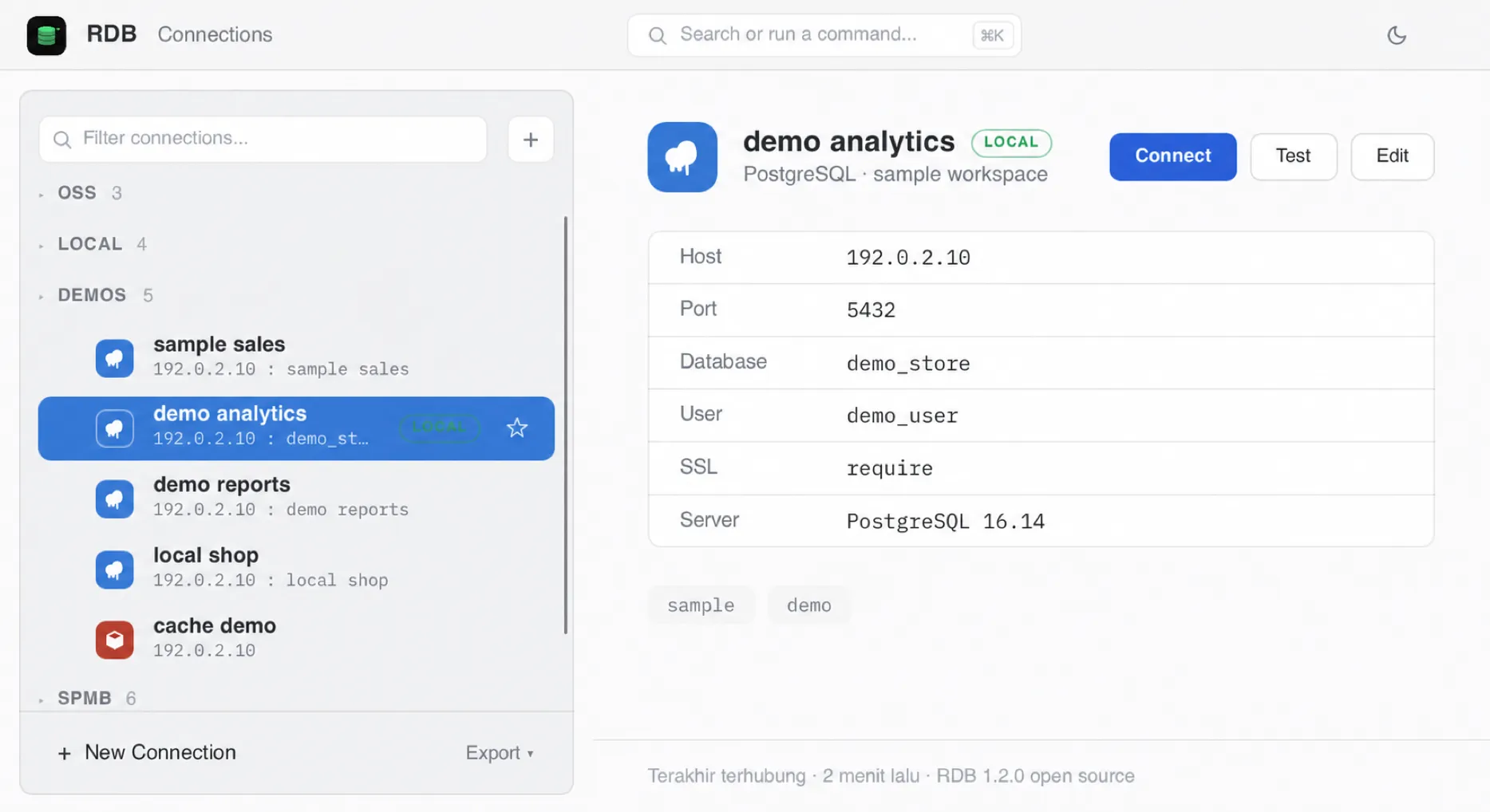
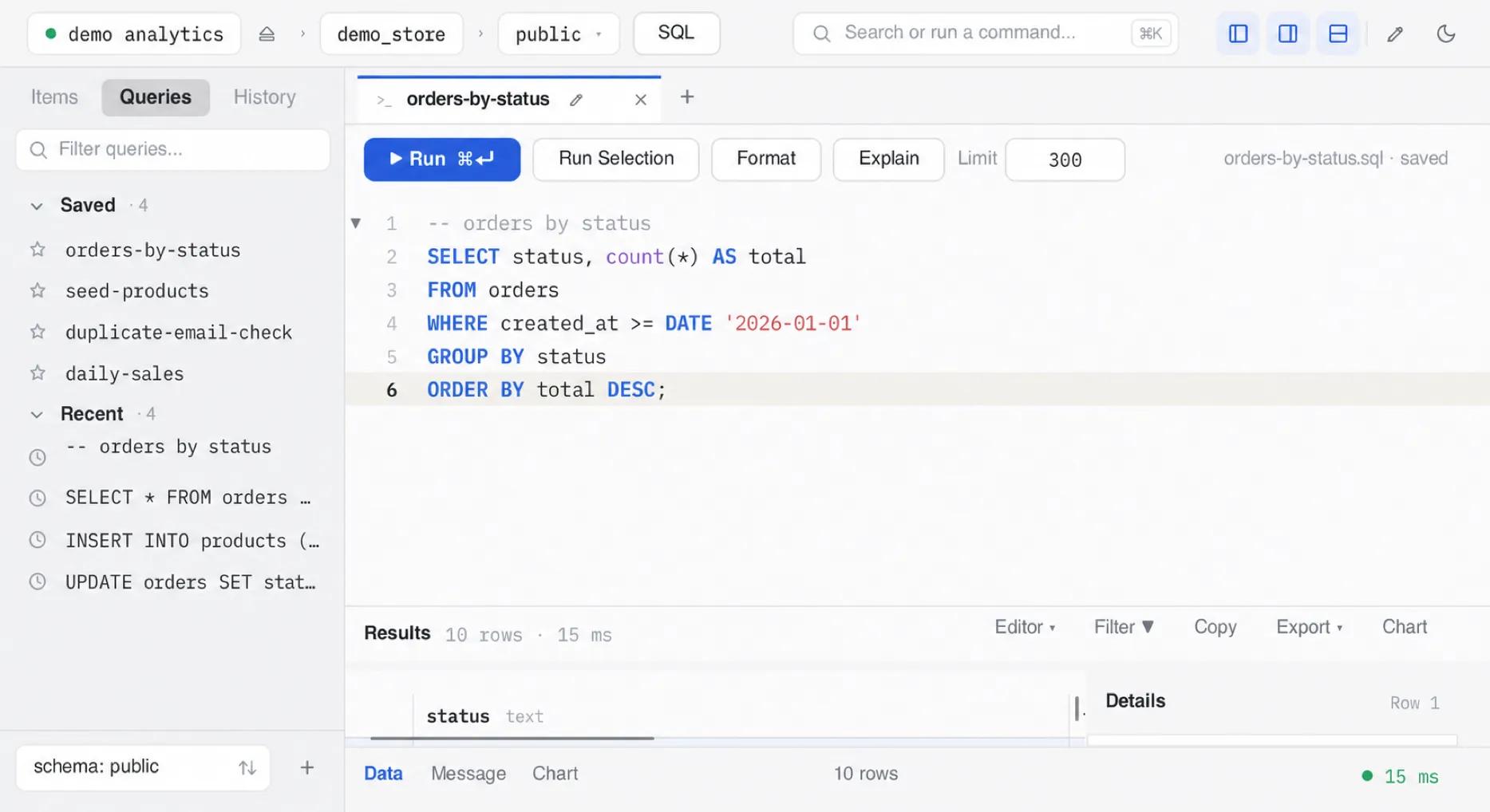
Connections
Getting in should be the easy part.
- Saved connections
- Organize connections into groups, star favorites, and drag to reorder.
- Paste a URL
- Drop in a postgres:// or mongodb:// DSN and the form fills itself.
- Test before saving
- One click verifies credentials against the live server.
- Import and export
- Move your connection list between machines as JSON or CSV. Passwords stay in the keychain and are never exported.
SQL editor
Built like an editor, not a form field.
- Syntax highlighting
- A per-line lexer keeps highlighting instant, even in long scripts.
- Multi-statement scripts
- Run a whole script; execution stops at the first error and tells you which statement failed.
- Run selection
- Select part of a script and execute just that.
- Format and explain
- Reformat messy SQL, or prefix any query with its execution plan.
- Split panes and tab groups
- Two editors side by side, each with its own tabs, results, and running query.
- Find
- Case-insensitive search inside the editor with match stepping.
Data grid
Browse millions of rows without babysitting a spinner.
- Batched loading
- Rows stream in as you scroll instead of loading the entire result up front.
- Virtualized rendering
- Only visible cells are drawn, so huge results stay smooth.
- Server-side filters
- Column filters compile to WHERE clauses and run on the database, not in the app.
- Safe editing
- Edit cells with a pending-changes model: review, commit, or roll back. Tables without a primary key stay read-only, and the grid tells you why.
- Export results
- CSV or JSON through your OS native save dialog.
Navigation
The whole app is reachable from the keyboard.
- Schema sidebar
- Databases, tables, collections, keys, and columns in one tree. Dock it left or right, or collapse it to an icon rail.
- Command palette
- Cmd+K fuzzy-searches connections and schema objects.
- One-click browse
- Click any table to auto-run a SELECT * or find and land in the grid.
- Light and dark
- Both themes ship; pick one or follow the system.
Supported databases
Eleven engines in one release.
Each engine is its own Rust driver crate speaking the native protocol. They share the same workspace without flattening every database into the same query model.
-
PostgreSQL
via tokio-postgres
-
MySQL
via mysql_async
-
MariaDB
via mysql_async (MySQL-compatible)
-
Redis
commands and key browsing
-
Valkey
via the redis crate (RESP-compatible)
-
MongoDB
JSON document queries
-
SQLite
local files, zero setup
-
Cassandra
via the scylla driver
-
SQL Server
via tiberius (T-SQL)
-
Oracle
via oracledb, no client libraries
-
ClickHouse
via HTTP, FORMAT JSON reads
All eleven ship in the current release. BigQuery is planned next.
Want an engine that is not listed? Open a feature request or read how drivers are added.